CI Runs
Job reruns
CI platforms expose a "rerun" button on jobs. DAGZ automatically handles retries intelligently:
- Rerun of a failed job: only the tests that failed in the previous attempt are rerun. The rest are skipped as redundant. Useful for flake hunting and for re-verifying a fix without paying for the full suite.
- Rerun of a passing job: the entire suite reruns without selection. The previous job already covered the affected tests; a deliberate rerun signals you want a fresh full pass.
- Rerun of a job that did not finish (canceled, killed, or timed out mid-run): the previous attempt left no record of which tests failed, so DAGZ falls back to regular test selection against the branch and target-branch baselines — the rerun runs roughly what the original run ran. If no baseline exists there either, the entire suite reruns.
Inspecting results in the dashboard
The DAGZ dashboard surfaces every CI run as a job.
Jobs list
The jobs list at <DAGZ_URL>/jobs shows status, duration, pass/fail counts, flaky counts, and compute savings for the recent runs. A running job's result chips break down by state: blue for unfinished tests, yellow for tests that failed and are pending a retry, green for passed, and red for tests that failed all retries.

Tests and logs
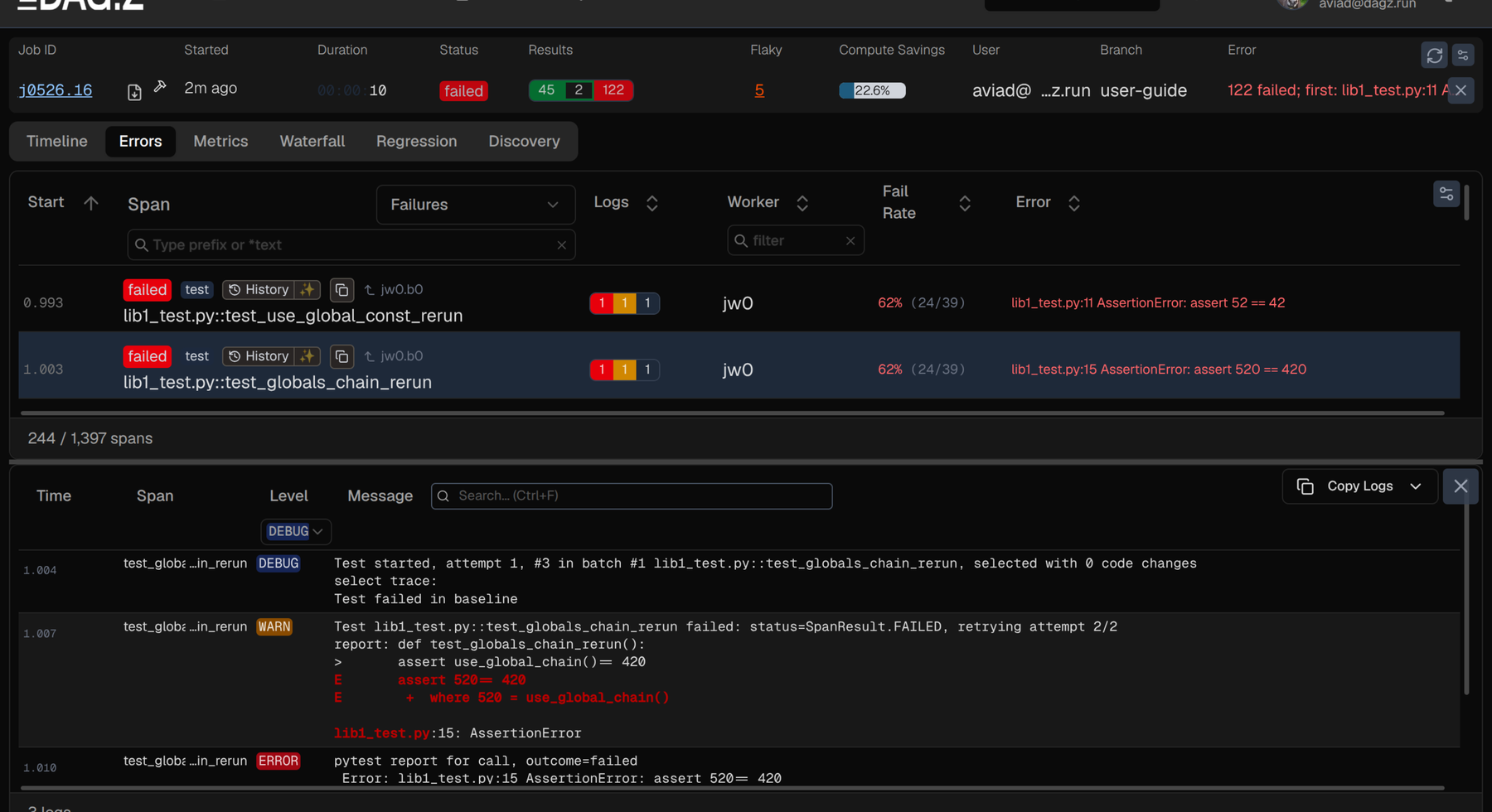
Each Job ID is a link. A single click on the job ID lands directly on the job's result page; for failing jobs the Errors tab opens with the failing tests listed. Clicking a failed test shows its logs in the panel below:
Download agent context
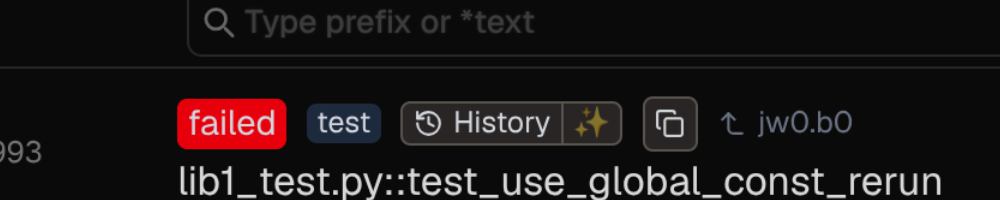
The ✨ button on each failed test row packages the test's logs, history, and surrounding context into a bundle for an AI coding agent to investigate and fix. Equivalent to zb span-logs <span-id> from the command line.
Inspecting log results
DAGZ writes test progress, a per-worker status snapshot, and a job-end report to the console. The console output also carries links to and from the DAGZ dashboard.
Progress logs
DAGZ prints a progress log line for every test as it finishes, with the test's result and duration:
Status logs
While the run is in progress, the scheduler prints the workers' status every 30 seconds.
00:01:30.668  Worker #0 [Active] progress=7908+73846/81754 actual_delta=-0.5s last_finished=1.0s q=Regular batch #1 time_left=237.1s stolen=0,0finished reconnects=0  pandas/tests/arithmetic/test_datetime64.py::TestDatetime64DateOffsetArithmetic::test_dt64arr_add_sub_DateOffsets[Series-us-US/Central-5-True-CBMonthEnd]
00:01:30.668  Worker #1 [Active] progress=15369+37374/52743 actual_delta=+2.4s last_finished=0.7s q=Regular batch #1 time_left=240.1s stolen=0,0finished reconnects=0  pandas/tests/extension/test_masked.py::TestMaskedArrays::test_loc_series[BooleanDtype]
00:01:30.668  Worker #2 [Active] progress=7275+40253/47528 actual_delta=-0.1s last_finished=0.1s q=Regular batch #1 time_left=235.7s stolen=0,0finished reconnects=0  pandas/tests/groupby/test_raises.py::test_groupby_raises_category[by7-True-std-method]
00:01:30.668  Worker #3 [Active] progress=52+2414/2466 actual_delta=-2.4s last_finished=6.9s q=Regular batch #1 time_left=245.1s stolen=0,0finished reconnects=0  pandas/tests/window/test_numba.py::TestTableMethod::test_table_method_rolling_methods[False-True-arithmetic_numba_supported_operators2-1]
One line per worker, in worker order. Fields after the worker number:
| Field | Meaning |
|---|---|
[State] | Worker state: Active, Idle, WorkSent, Disconnected, Failed, NotConnected. |
progress=A+B/C | A tests finished, B remaining, C total assigned to this worker. |
actual_delta=±X.Xs | Cumulative deviation from the plan. Positive = slower than planned. |
last_finished=Y.Ys | Seconds since the last test on this worker finished. A growing number means the current test is taking long. |
q=NAME batch #N | Active queue and batch number. |
time_left=Z.Zs | Estimated time to drain all queues on this worker. |
stolen=L,Mfinished | L tasks were stolen from other workers; M of those have finished. |
reconnects=K | Reconnect count for this worker. |
The trailing text is the test currently running on the worker.
Job report
At the end of the session, every process (scheduler and each worker) prints the same report. In a parallel CI step this means the report lands in every parallel job's logs. Any one of them gets you a link to the dashboard without having to find the scheduler's log.
When the run passes, the report prints in green:
When any test fails, the report prints in red and lists the failures above the summary:
On failure, the dashboard URL deep-links to the failures view (?spanTypes=failures); on success it links to the job overview.
j0517.50 is the short job ID: the 50th job on May 17.
Links between CI and DAGZ
DAGZ prints the dashboard URL inline in the job report. CI platforms render it as a clickable link, so any CI log that includes the report has a one-click path to the job in the dashboard.
The dashboard reverses the link: each job page shows the originating CI run, so navigating from a failure in DAGZ back to the CI logs is a single click.
How it works
Parallel execution
DAGZ executes test suites in parallel, spreading the work across multiple nodes (machines) and multiple workers on each node.
DAGZ's test scheduler optimizes test distribution using:
- Previous run durations, taken from the baselines generated for DAGZ test selection.
- Fixture sharing - tests that need the same setup tend to land on the same worker.
- Work stealing - idle workers steal tests from busy ones when the plan drifts from reality.
For installing the plugin on CI workers and pointing it at your team deployment, see CI Integration.
For hardware-side reasons actual durations drift from the plan (CPU throttling, hybrid cores, power limits), see Scheduling.
Process roles
DAGZ manages 4 types of test processes:
- Scheduler/Master: coordinates the entire run, plans work distribution, and collects results.
- Vassal: manages the worker pool on a single machine.
- Workers: run tests sequentially, collect code signals and reporting results back to the scheduler.
- Sub-processes: spawned by tests, automatically associated with the calling test.
On Linux, workers and vassals are forked processes. They share memory and can be recycled if they exceed memory limits.
CI job joining
When multiple pytest --dagz processes start in the same parallel CI step, they automatically join into a single job.
The first node to come up becomes the scheduler; other nodes become vassals and connect back to the scheduler.